Vela™ Pro
Everything in Vela's open-source core, plus the interfaces desks actually trade: footprints, TPO and more orderflow indicators, and a full trading terminal with order entry, an order book, a journal, watchlists and alerts. The LuxAlgo Library comes cleared for commercial use, with a built-in Pine Script® editor. Built for enterprises and anyone shipping charts commercially.
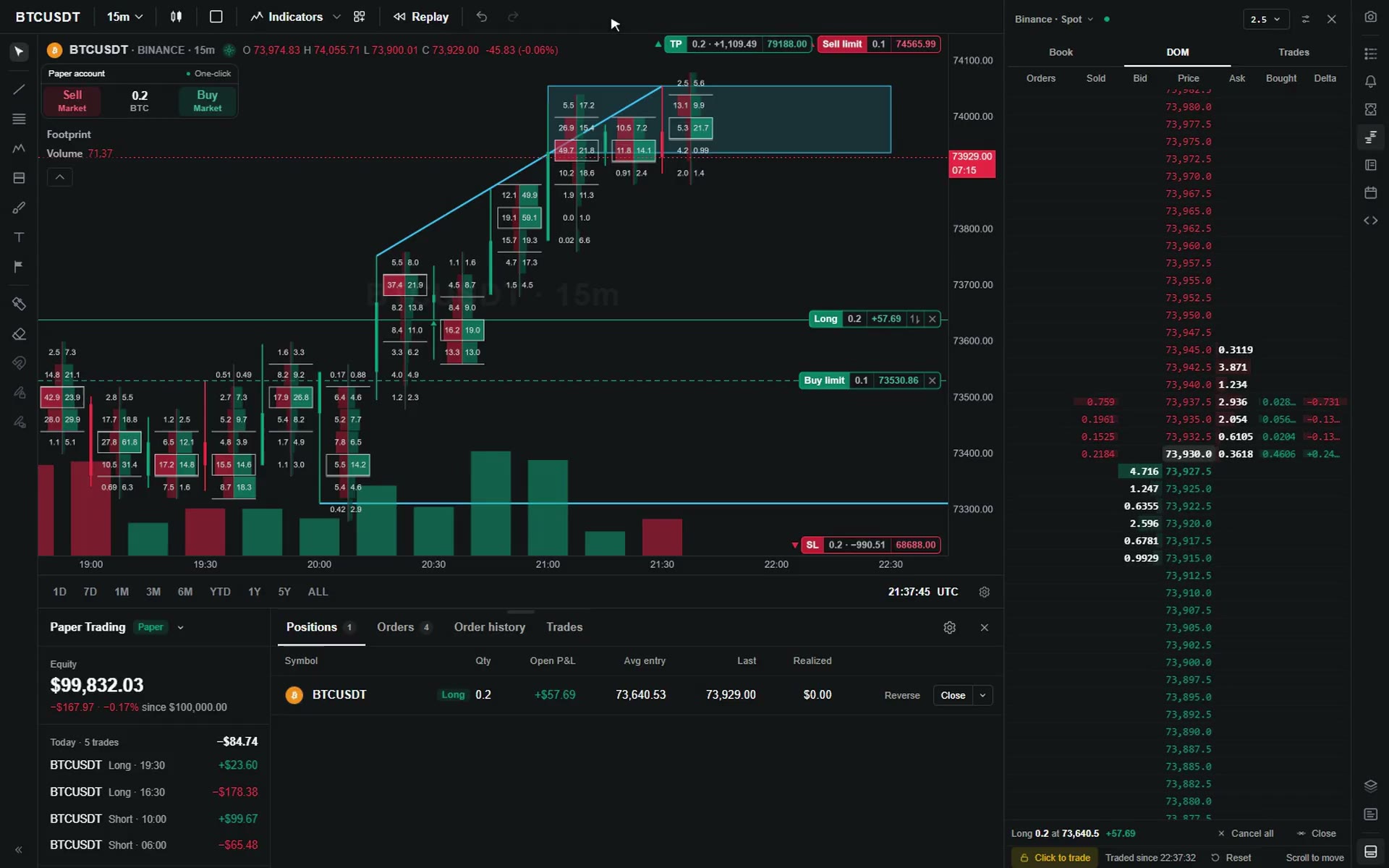
- Footprint charts
- Drawing tools
- Buy and Sell on the chart
- Orders you can drag
- DOM ladder
- Positions and orders
A trading terminal, in modules.
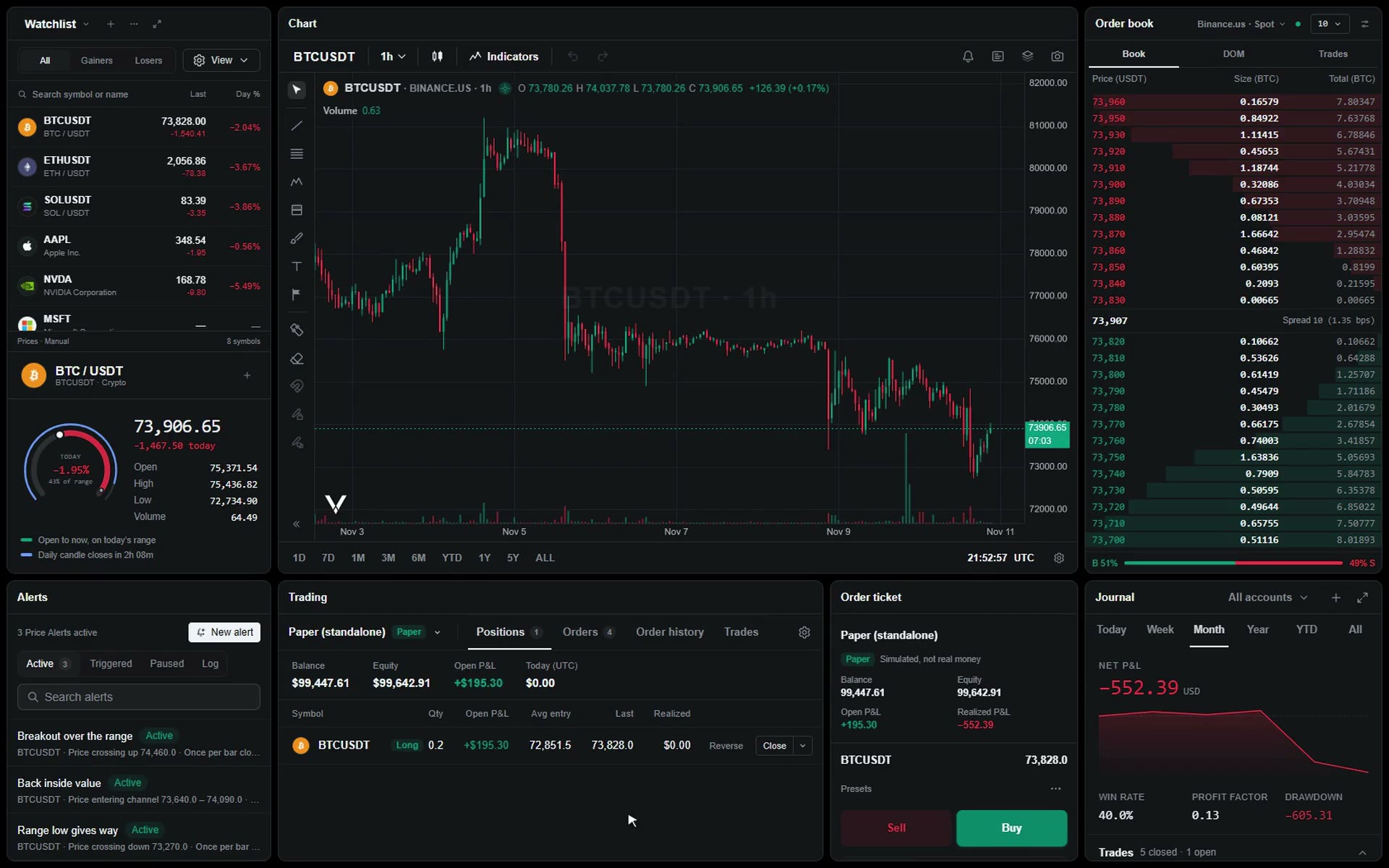
Order entry, an order book, a journal, watchlists and alerts, on the chart your traders already use. Ship one or ship them all: each works on its own, and they connect when they are together.
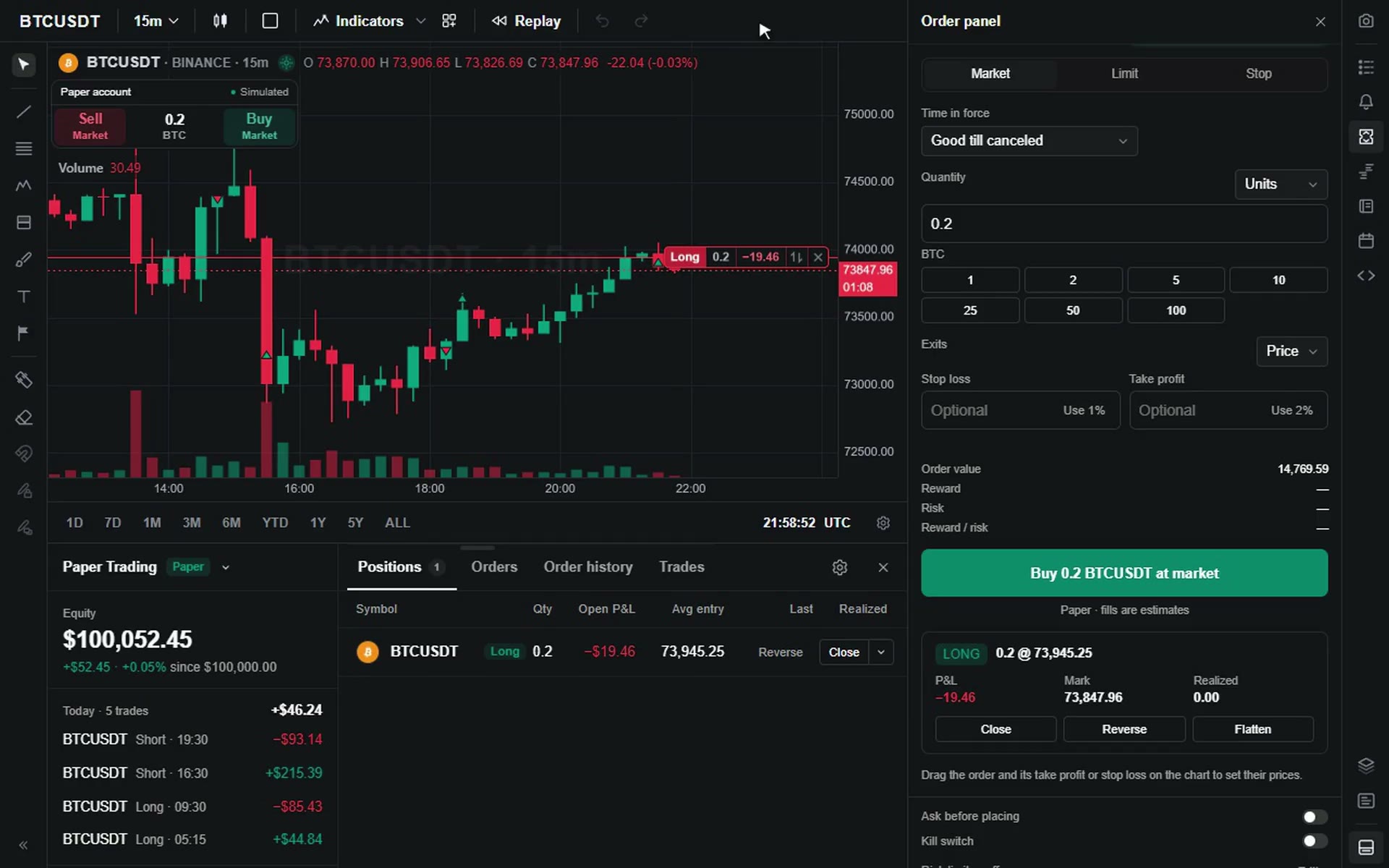
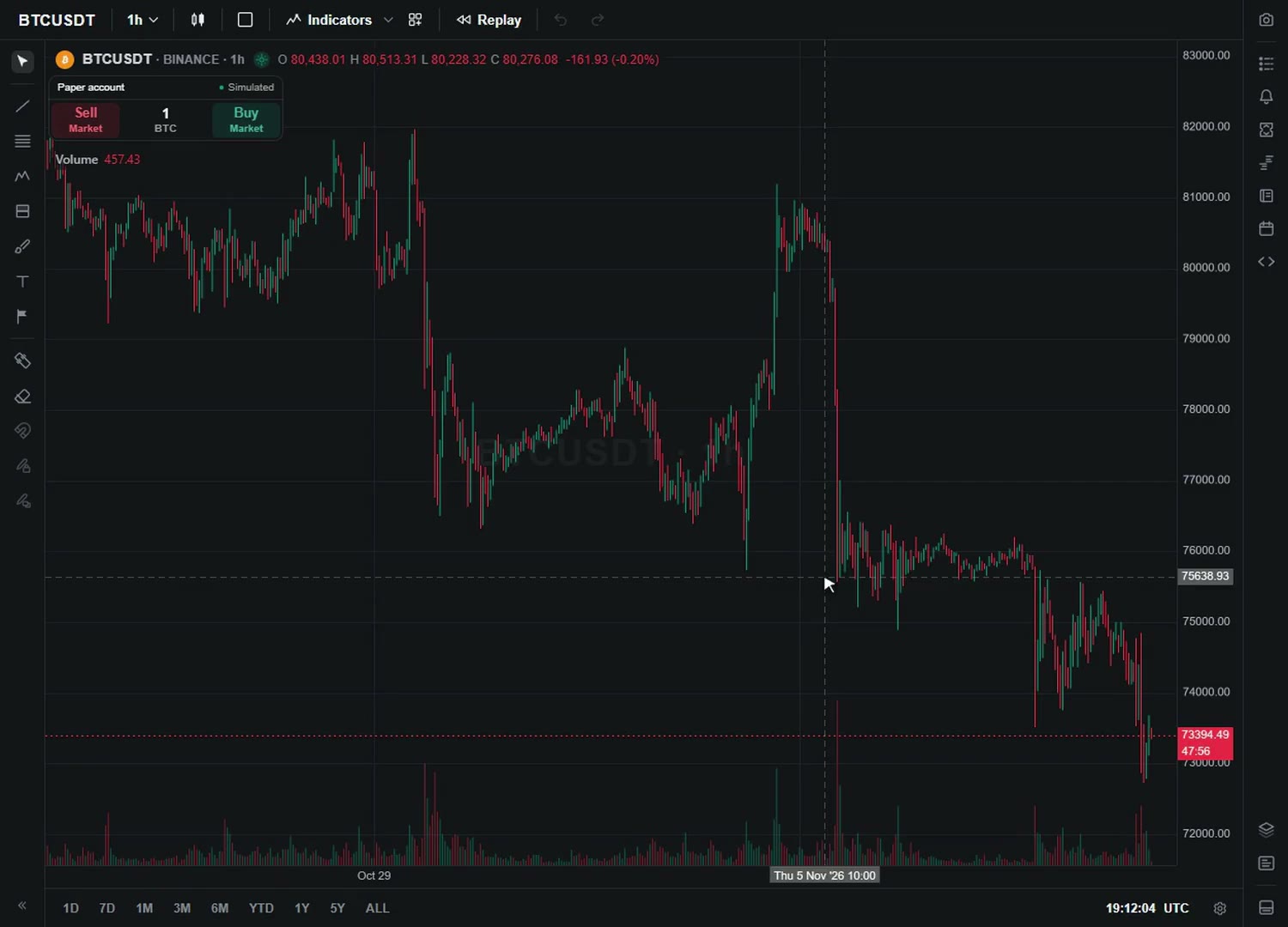
Your traders place, move and close orders right on the chart. Drag a line to change a price, pull a take-profit and a stop-loss out of an entry, and size in units, cash, percent of equity or cash at risk. Positions, orders and history sit in one panel under the chart. It runs on paper out of the box and connects to your own broker for live trading.
The order book, the watchlist and alerts come with Pro. Trading and the journal are add-ons you switch on in one step, under the same license.
Every panel is a widget.
Every panel also stands on its own. Put the watchlist, the order book, the order ticket or the journal anywhere in your product, with or without a chart beside it, and each one fits the space you give it.
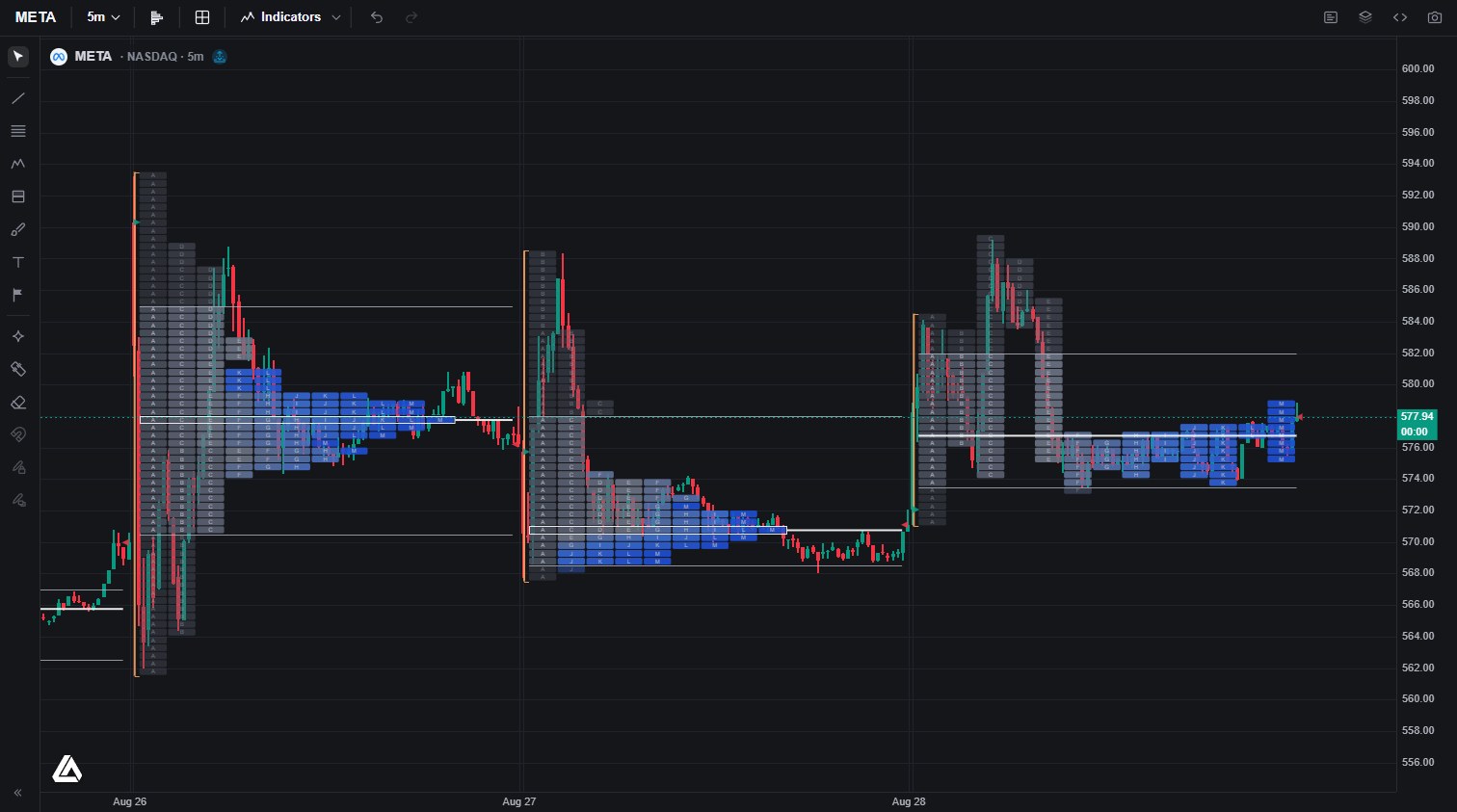
Footprint charts, native.
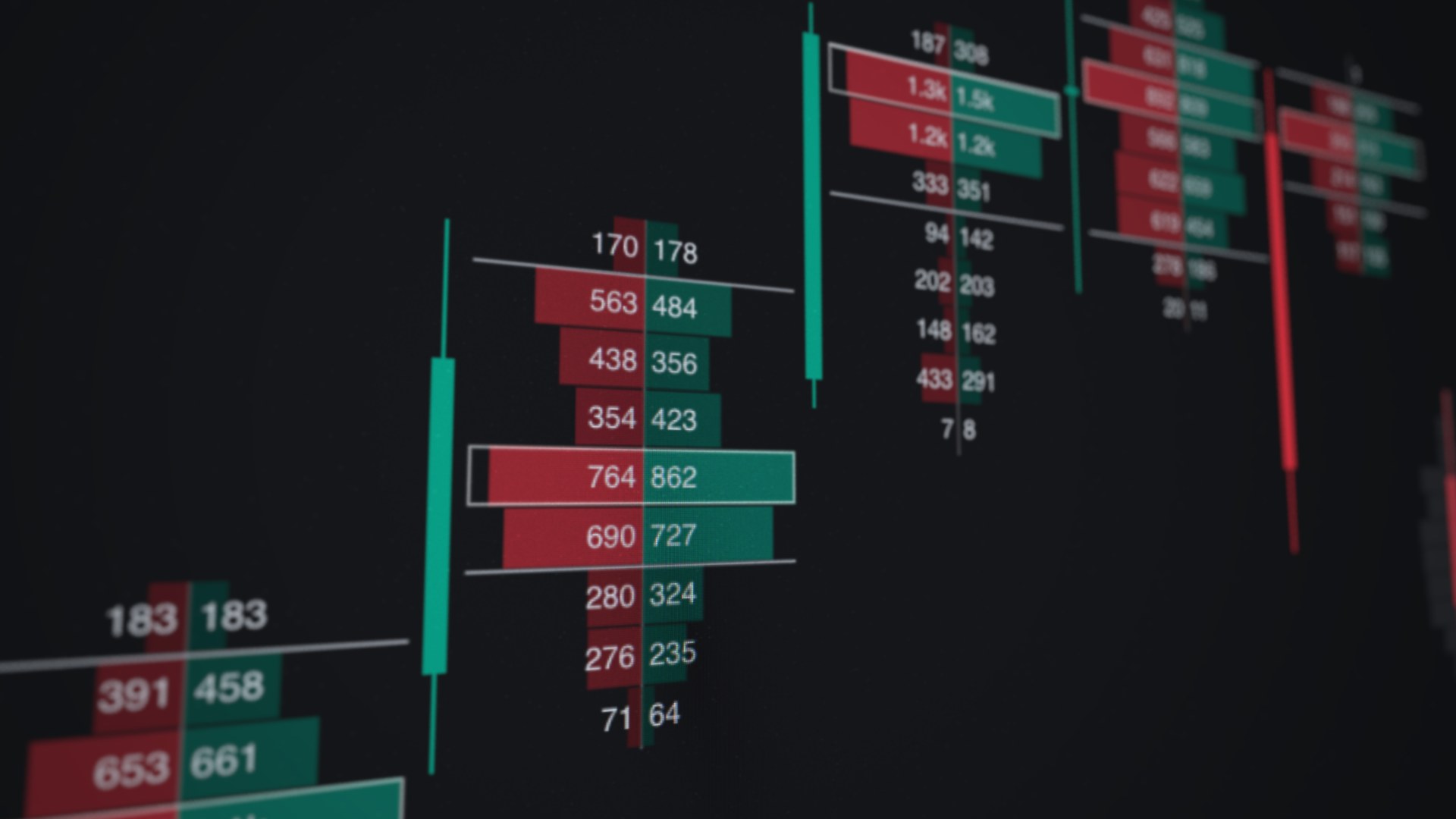
The footprint splits every price into bid and ask, straight from real executions: stacked imbalances, unfinished auctions, and a per-bar point of control, rendered at full frame rate.
The session, as it was built.
Time Price Opportunity charts letter by letter: value areas, points of control, singles and poor highs, split or merged sessions. The full Market Profile discipline, native to the canvas instead of bolted on.
See who’s really buying.
Trade-accurate orderflow indicators, in the indicator menu on day one. No scripts to install: connect your trade feed and they run.
Volume Delta
Net buy and sell aggression per bar, plotted under the price it moved.
Volume Bubbles
A dot on the price chart for each bar and price bucket, sized by the volume that traded there. Where size traded, at a glance, without switching to a full footprint.
Bar Stats
Volume, delta, buys, and sells totaled under every bar: the whole tape, one glance per column.
Volume Profiles
Where the volume actually lives: visible range, session, and fixed range, with value areas marked.
Trades Count
Participation, not just size: how many prints built each bar, so one whale never reads like a crowd.
Ship the LuxAlgo Library inside your product.
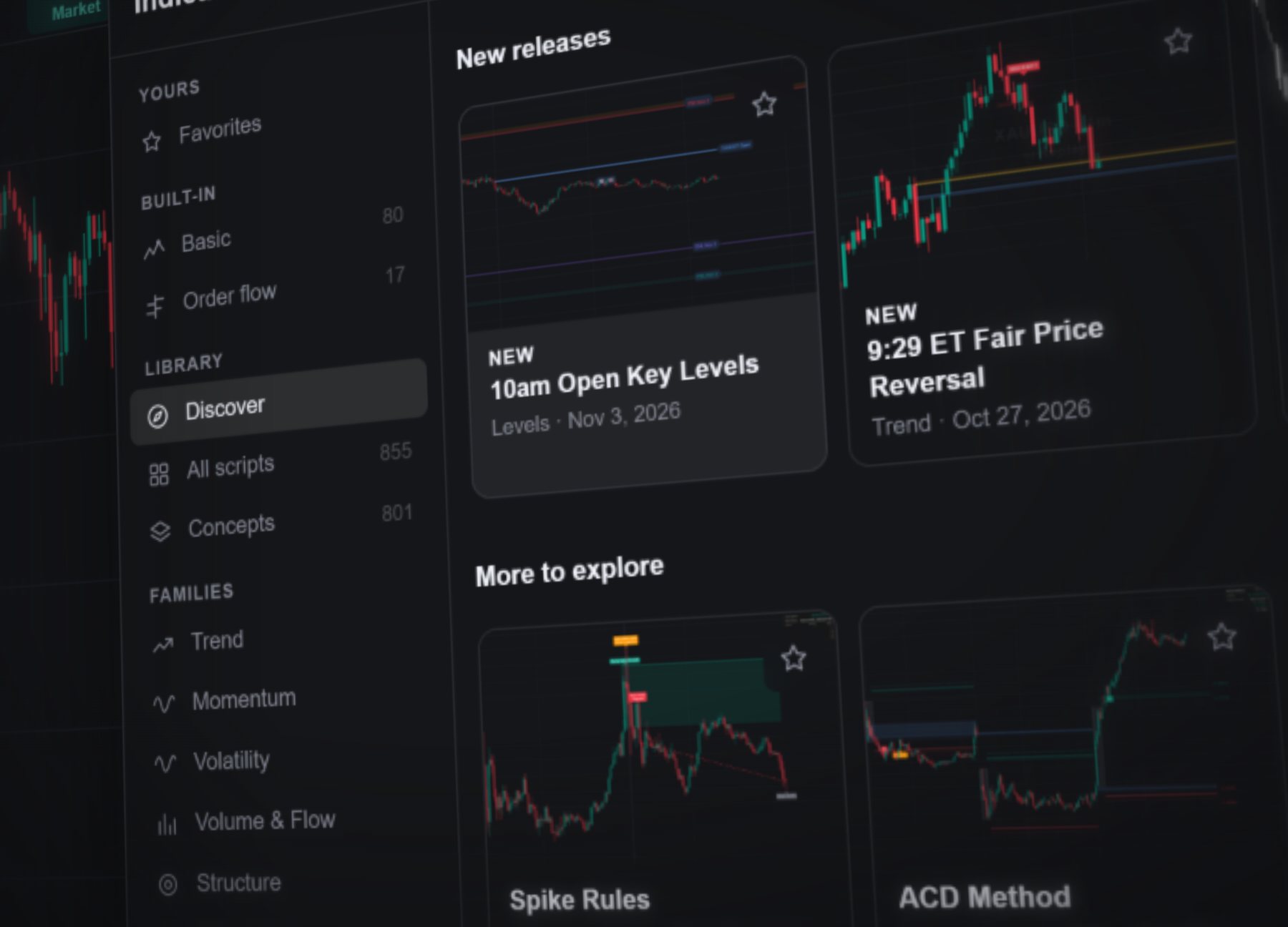
The largest indicator Library in trading comes preloaded in the indicator menu, and Pro clears it for commercial use: every concept and implementation, ready for the products you sell. Your traders find what they need fast: new releases first, 17 families to browse, and a description beside every tool.
A Pine Script® editor, wired to the runtime.
Pro ships the PineTS runtime built in and commercially licensed, with a built-in editor: write or paste Pine Script® v6, run it, and inject it with structured errors. No addon to install, no AGPL obligations in your product.
Also in the box.
Everything here is on from the start. Switch off what you don't need, and set up the rest your way.
Strategy tester
A full backtest report under the chart: the equity curve, performance by side, risk-adjusted figures against buy and hold, and a trades log that takes you to each entry and exit.
Bar replay
Pick a bar and the chart rewinds to it, then plays forward at 0.1x to 10x, moves one step at a time or jumps to a date. Every chart in a layout replays in sync.
Symbol search
Every market from one search box: tabs by market, a venue filter, and a preview with the quote and the symbol’s other listings.
Radial tool wheel
Hold Alt over the chart and your traders’ favorite drawing tools fan out around the cursor: aim, release, draw.
Indicator templates
Save a chart’s indicators, with its market if you like, and apply the set to any chart.
Terminal layout
A side rail that opens any panel and a resizable dock under the charts. Your own panels fit in both.
Calendar
Economic releases, earnings, dividends, splits, IPOs and market holidays, day by day, from the data source you connect.
Agent skills
Skills that teach coding agents to set up a module, arrange widgets and connect a broker. They ship with Pro, so they match the version you install.
Ship the whole desk.
One license covers the interfaces, the suite, the modules, the Library, and the runtime. Per-developer seats with published pricing: pick a seat count, generate the quote, ship. No sales call, no approval step. Brokers, exchanges, and prop firms get an Enterprise lane.
Vela™ is a trademark of LuxAlgo Global, LLC. Vela runs Pine Script® through the independently developed PineTS engine and is not affiliated with, sponsored by, endorsed by, or in any way officially associated with TradingView, Inc. “Pine Script” and “TradingView” are trademarks or registered trademarks of TradingView, Inc.